Edit timelines with precision
Insert, overwrite, trim, split, move, ripple-delete, roll, slide, and slip across sequences and tracks.
An open-source MCP server with 269 tools for timeline editing, effects, color, keyframes, media management, and export.
$ npm install -g premiere-pro-mcp
$ premiere-pro-mcp --install-cep
# Ask your MCP client
“Add B-roll to V2, match the grade, then export 1080p ProRes.”
✓ 269 tools registered · bridge readyPremiere Pro
2020–2026
macOS + Windows
Apple Silicon + Intel
Local-first
Your media stays local
MIT licensed
Open source
Give an MCP-compatible AI a structured editing surface instead of asking it to guess at Premiere’s interface.
Insert, overwrite, trim, split, move, ripple-delete, roll, slide, and slip across sequences and tracks.
Apply effects, adjust Lumetri parameters, load LUTs, stabilize clips, and automate repetitive grading steps.
Add, update, and inspect keyframes with interpolation controls for repeatable animation work.
Import footage, manage bins, create sequences from presets, inspect metadata, and work with proxies.
Queue sequences and project items through Adobe Media Encoder using the presets you choose.
Use the structured MCP surface or run custom ExtendScript and QE DOM workflows when you need deeper control.
The local stdio setup is the simplest and safest path. Premiere, the CEP bridge, and your MCP client stay on the same machine.
npm install -g premiere-pro-mcpRequires Node.js 18 or newer.
premiere-pro-mcp --install-cepUses the native macOS or Windows installer.
premiere-pro-mcpRestart Premiere and your MCP client once.
Choose your MCP client
The same local server command works across supported clients.
Add this server to claude_desktop_config.json
Claude application support folder
{
"mcpServers": {
"premiere-pro": {
"command": "premiere-pro-mcp"
}
}
}The bridge starts automatically when Premiere launches. Open Window → Extensions → MCP Bridge only to verify status or change the shared temp directory.
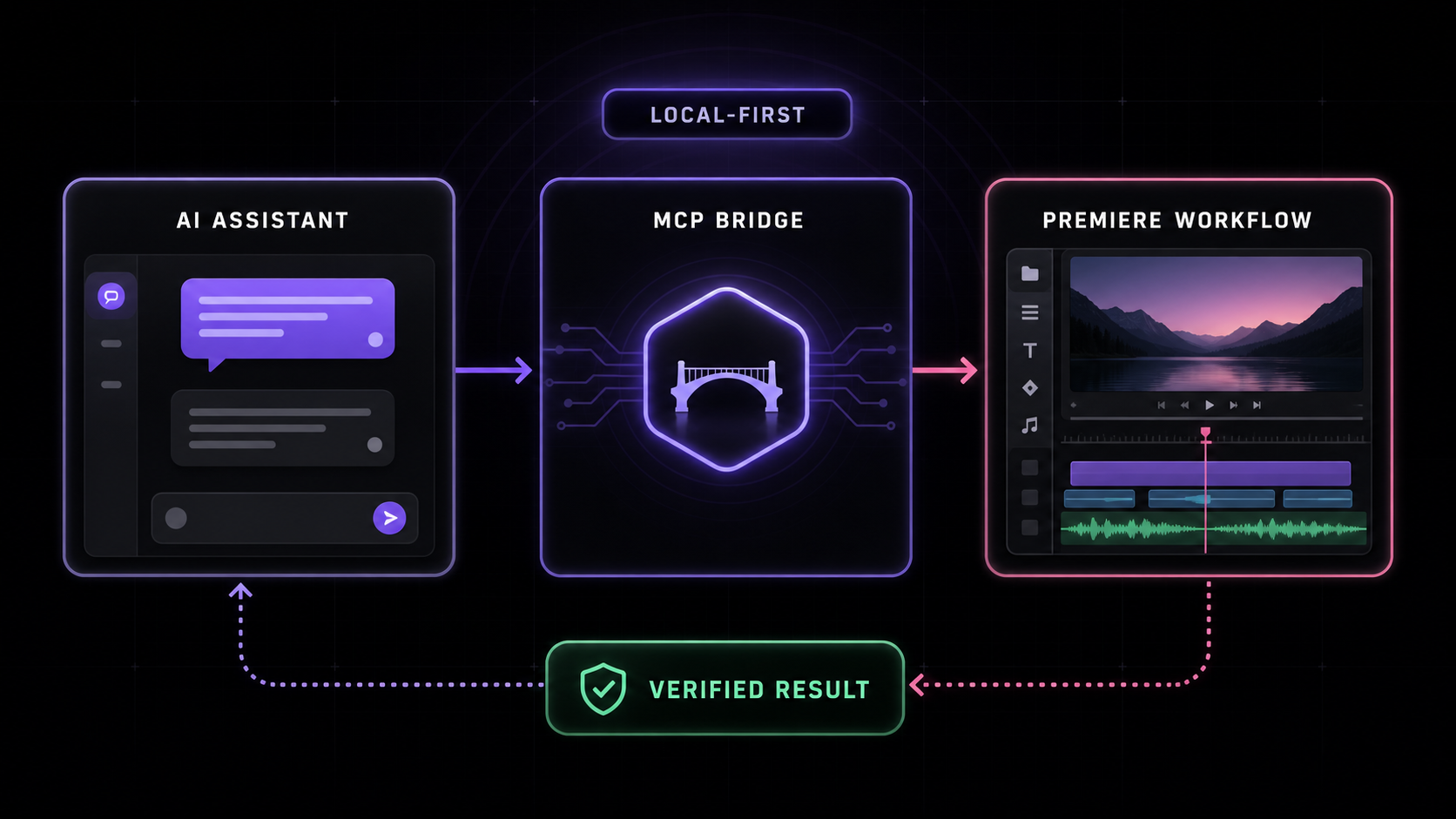
A local-first file bridge keeps the control path inspectable and avoids exposing your project media to the MCP server.
Claude, Cursor, Windsurf, or another MCP client sends a structured request to the local server.
A versioned helper library and small ES3 script pass through a private shared temp directory.
The CEP bridge executes the command and sends structured data, confirmation, or diagnostics back to the client.
Current releases target Premiere Pro 2020–2026 on macOS and Windows, with clearer failure states for the issues users hit most often.
The CEP bridge creates its temp directory and starts polling when Premiere activates.
In-flight heartbeats help distinguish an open Premiere dialog from a disconnected bridge.
Know the boundary: Premiere’s undocumented QE DOM is powerful but imperfect. Frame export and Media Encoder queue status have API limitations; the server reports diagnostics instead of claiming success without a file.
Need the full tool list, schemas, or troubleshooting guide?
The README documents every setup path and known security boundary.